Reports you can hand over.
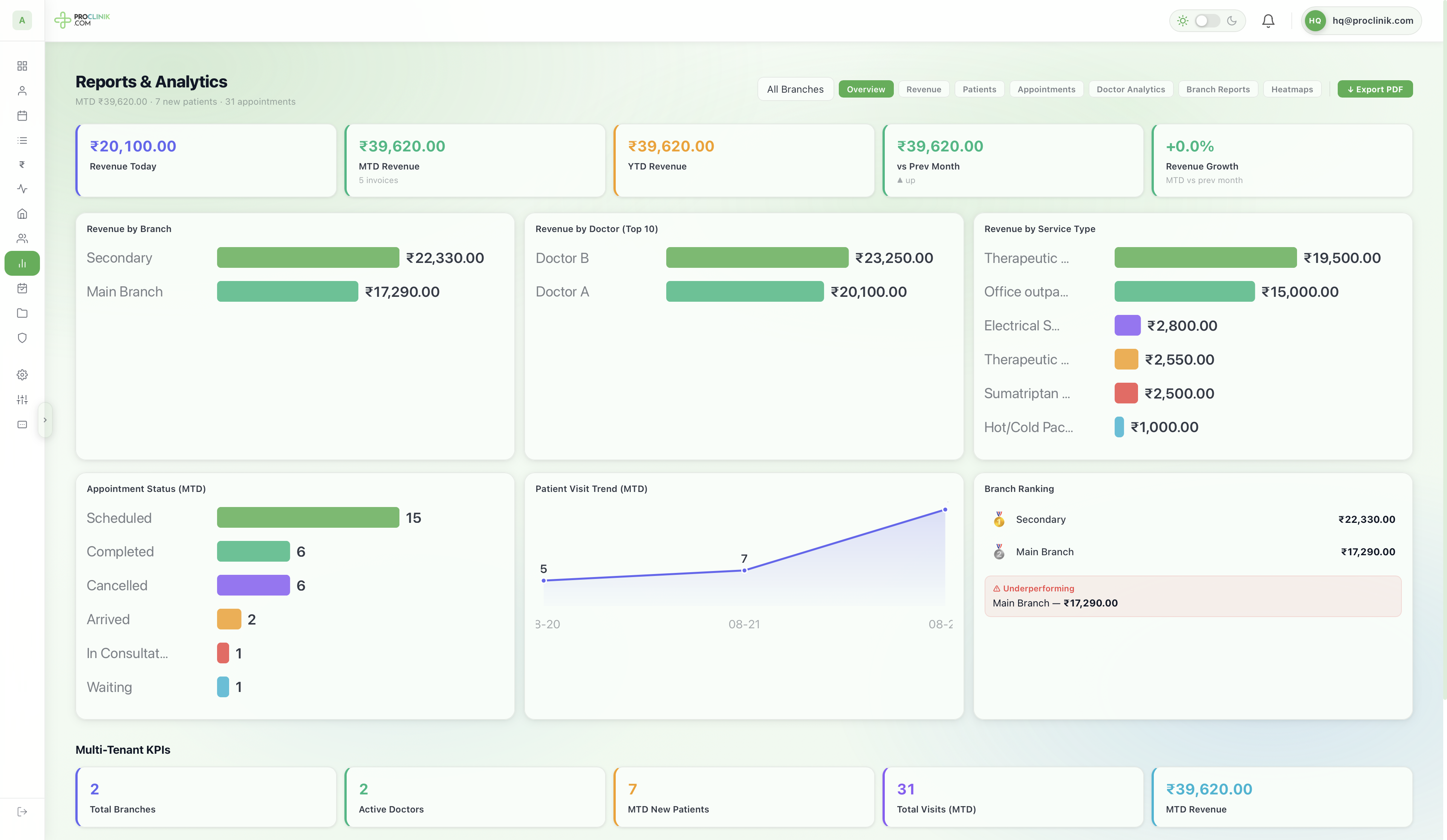
Revenue and new patients for any period you choose, split by doctor and by procedure and shown net of what the outside consultants are owed, with a printable document when somebody asks for one.
- Any date range
- Net of consultant fees
- By doctor
- By procedure
- Printable
What you can actually see
Numbers for the period you choose, not the month the software prefers.
Revenue for any period
Pick the dates that matter, a day, a month or a season, and the figures follow.
New patients
How many patients the clinic added in the same period.
Revenue by doctor
Which doctors are earning, so performance is a number and not an opinion. Consultants are listed beside them rather than hidden inside a total.
Revenue after the consultants
Fees owed to outside consultants are taken off the top, so the figure the clinic reads is what it actually keeps rather than what it collected. What has been paid out and what is still outstanding are reported separately.
Revenue by procedure
Which treatments bring the money in, ranked.
Appointment counts
How many appointments the period held, and how they ended.
A report for the consultants alone
Every external party with what they were paid in the period and what is still owed to them, grouped by name, so settling up at month end is a list rather than a reconstruction.
Take it away
Reports export as a printable document, which is what a bank or an accountant asks for.
What it does not do
- Excel export, and a report builder of your own